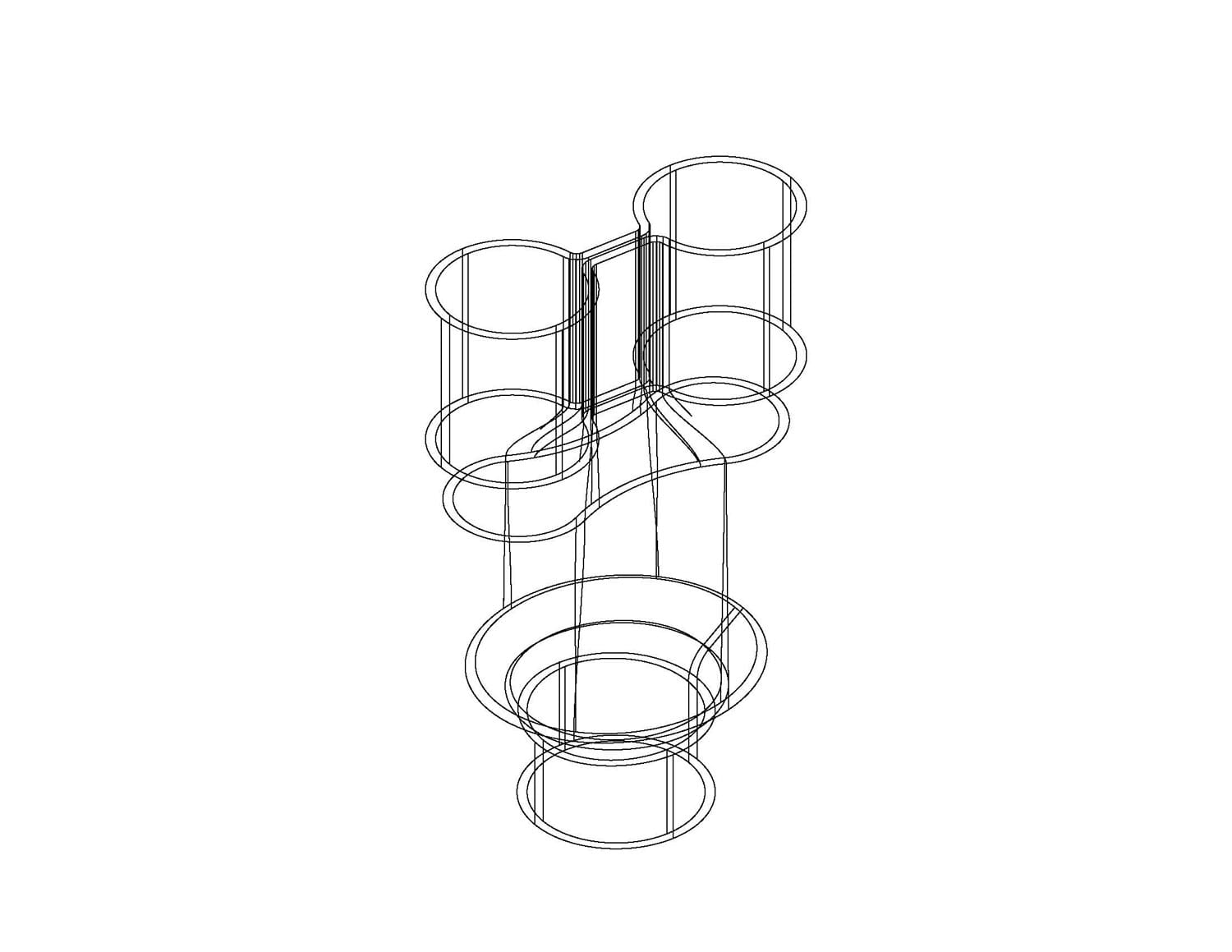
CAD Drawings

Detailed CAD Drawings of Our Heat Exchangers

[fl_builder_insert_layout id=”341″ type=”fl-builder-template”]
Modal Popup – ID
Click here to edit the “Modal Popup” settings. This text will not be visible on frontend. [fl_builder_insert_layout id=”351″ type=”fl-builder-template”]
Modal Popup – ID
Click here to edit the “Modal Popup” settings. This text will not be visible on frontend. [fl_builder_insert_layout id=”357″ type=”fl-builder-template”]
Modal Popup – ID
Click here to edit the “Modal Popup” settings. This text will not be visible on frontend. [fl_builder_insert_layout id=”362″ type=”fl-builder-template”]
Modal Popup – ID
Click here to edit the “Modal Popup” settings. This text will not be visible on frontend. [fl_builder_insert_layout id=”367″ type=”fl-builder-template”]
Modal Popup – ID
Click here to edit the “Modal Popup” settings. This text will not be visible on frontend. [fl_builder_insert_layout id=”367″ type=”fl-builder-template”]
Modal Popup – ID
Click here to edit the “Modal Popup” settings. This text will not be visible on frontend. [fl_builder_insert_layout id=”373″ type=”fl-builder-template”]
Modal Popup – ID
Click here to edit the “Modal Popup” settings. This text will not be visible on frontend. [fl_builder_insert_layout id=”378″ type=”fl-builder-template”]
Modal Popup – ID
Click here to edit the “Modal Popup” settings. This text will not be visible on frontend. [fl_builder_insert_layout id=”383″ type=”fl-builder-template”]
Modal Popup – ID
Click here to edit the “Modal Popup” settings. This text will not be visible on frontend. [fl_builder_insert_layout id=”387″ type=”fl-builder-template”]
Modal Popup – ID
Click here to edit the “Modal Popup” settings. This text will not be visible on frontend. [fl_builder_insert_layout id=”393″ type=”fl-builder-template”]
Modal Popup – ID
Click here to edit the “Modal Popup” settings. This text will not be visible on frontend. [fl_builder_insert_layout id=”398″ type=”fl-builder-template”]
Modal Popup – ID
Click here to edit the “Modal Popup” settings. This text will not be visible on frontend. [fl_builder_insert_layout id=”398″ type=”fl-builder-template”]
Modal Popup – ID
Click here to edit the “Modal Popup” settings. This text will not be visible on frontend. [fl_builder_insert_layout id=”403″ type=”fl-builder-template”]
Modal Popup – ID
Click here to edit the “Modal Popup” settings. This text will not be visible on frontend. [fl_builder_insert_layout id=”412″ type=”fl-builder-template”]
Modal Popup – ID
Click here to edit the “Modal Popup” settings. This text will not be visible on frontend. [fl_builder_insert_layout id=”417″ type=”fl-builder-template”]
Modal Popup – ID
Click here to edit the “Modal Popup” settings. This text will not be visible on frontend. [fl_builder_insert_layout id=”422″ type=”fl-builder-template”]
Modal Popup – ID
Click here to edit the “Modal Popup” settings. This text will not be visible on frontend. [fl_builder_insert_layout id=”427″ type=”fl-builder-template”]
Modal Popup – ID
Click here to edit the “Modal Popup” settings. This text will not be visible on frontend. [fl_builder_insert_layout id=”432″ type=”fl-builder-template”]
Modal Popup – ID
Click here to edit the “Modal Popup” settings. This text will not be visible on frontend. [fl_builder_insert_layout id=”469″ type=”fl-builder-template”]
Modal Popup – ID
Click here to edit the “Modal Popup” settings. This text will not be visible on frontend.

Aqua Systems Available CAD Files

Please click on the model numbers below to access 2-D and 3-D views and downloads

arrow-246-48

S-2/CN2

arrow-246-48

S-3/CN3

arrow-246-48

S-4/CN4

arrow-246-48

S-5/CN5

arrow-246-48

S-6/CN6

arrow-246-48

S-2R/CN2R

arrow-246-48

S-3R/CN3R

arrow-246-48

S-4R/CN4R

arrow-246-48

S-5R/CN5R

arrow-246-48

S-6R/CN6R

arrow-246-48

S-3TV/CN3TV

arrow-246-48

S-4TV/CN4TV

arrow-246-48

S-5TV/CN5TV

arrow-246-48

S-6TV/CN6TV

arrow-246-48

S-3TVR/CN3TVR

arrow-246-48

S-4TVR/CN4TVR

arrow-246-48

S-5TVR/CN5TVR

arrow-246-48

S-6TVR/CN6TVR

View manifold CAD drawings

Click here for Installation Instructions

Installation Instructions

  1. Aqua Systems Installation Instructions The Aqua Systems heat exchanger is suitable for use as a condenser or evaporator. Refrigerant gas should be piped to the top refrigerant opening and refrigerant liquid to the bottom refrigerant opening.
  2. The Aqua Systems Heat Exchanger can be piped for series water flow or parallel water flow.
  3. Series flow is normally used on “one pass” evaporator installations where water will leave at an above freezing temperature (some margin of safety should be planned). Do not exceed 6 GPM flow rate. Series flow is not recommended for models of larger capacity than S-4 / S-4R / CN4.
  4. Parallel flow is normally used on “closed loop” installations regardless of water (or fluid) temperatures and in instances where leaving water temperature might be close to freezing on evaporator applications. Do not exceed 12GPM flow rate.
  5. Be sure to use vent and drain plugs on all installations where there is a likelihood that water quality will require freeze cleaning of the evaporator/condenser.
  6. Carefully insulate the entire heat exchanger on both evaporators and condensers. All surfaces contribute to the heat exchange process and the unit will perform noticeably better when insulated

Modal Popup – ID
Click here to edit the “Modal Popup” settings. This text will not be visible on frontend.

Limited Warranty Policy

Aqua Systems, Inc. hereby warrants to the original purchaser only, that each Aqua Systems, Inc. heat exchanger sold by it is free from defects in material or workmanship under normal use and service, its obligation under this warranty being limited to repair or replacement of the defective heat exchanger at its factory if such heat exchanger is returned to the factory with transportation charges pre-paid and further provided that Aqua Systems, Inc.’s examination shall disclose to its satisfaction that the heat exchanger was or became defective under normal use and service. This warranty extends only to such defects which occur within one year from the date of initial installation of the heat exchanger.General Conditions:The foregoing warranties are void if the heat exchanger has been damaged, misused, subjected to abnormal use or service, or if payment for the heat exchanger is in default. Misuse and abnormal use or service includes, but is not limited to, misapplication, improper installation or operation at abnormal temperatures. Aqua Systems, Inc. expressly disclaims and excludes, and in no event is liable for, consequential or incidental damages caused by a breach of any express or implied warranties beyond repair or replacement of the heat exchanger.

Freeze Cleaning Instructions

1) Set up water piping so that water flows to heat pump can be turned off and so that the Aqua Systems Heat Exchanger can be vented at the top and drained ath the bottom (i.e. use boiler drains on both top and bottom water connections to heat the exchanger).

2) Shut off water flow to the unit and open the vent at the top of the heat exchanger and the drain at the bottom of the heat exchanger.

3) Set heat pump controls to that the Aqua Systems Heat Exchanger is operating as the evaporator.

4) After checking to be sure that all water has drained from the heat exchanger, depress the compressor contactor. Keep the compressor operating until suction pressure is below 20 PSI.

5) Shut down the compressor and allow the unit to equalize. Close vent opening.

6) Start water flow and flush heat exchanger through the drain until the water is clear.

Close drain opening and resume normal operation.